

While writing documents one needs lists. Usually the lists are either numbered or with bullet. The standard enumerate option in LaTeX by default provides Arabic-Hindu numbers for the list.
The standard syntax is as under:
\begin{enumerate}

\item First item

\item Second item

.

.

\end{enumerate}
This will produce a list with Arabic-Hindu numbers with the items at each head.
In case one wanted a list with bullets, we can use the itemize environment.
\begin{itemize}

\item First item

\item Second item

.

.

\end{itemize}
This will produce a list with with bullets
There is yet another environment description which can take user supplied options for list headings.
For example:
\begin{description}

\item[First] First item

\item[Second] Second item

.

.

\end{description}
In this case the descriptors in square brackets after the \item will be used as the item titles. So when I required any alphabetical list, I used to make list in the description environment and put the alphabets/ descriptors manually.
So far so good.
Recently I had to make a list with Roman numerals instead of Arabic ones. The list was fairly long so manual option seemed to be a very un-LaTeX kind of thing to do. Just a little googling and I found a treasury of options that can be used with the standard enumerate environment. This was the enumitem package.
The package provides various options for the enumerate environment like label and its formatting, style, alignment, indent, vertical and horizontal spacing etc.
The label options that are available are \alph, \Alph, \arabic, \roman and \Roman,
These can be intialised by using
\begin{enumerate}[label=\emph{\alph*})]
After this the regular \item will produce list with alphabets, numbers or roman numerals.
Please see the documentation for more details.
Suppose you have a list which is split in many parts. You can use resume function to continue with numbering left off in the last part of the list. The resume function can be named and you can have different lists to resume.
Main purpose of the educational sector
The main purpose of the health sector is not to provide other sectors with workers in good health. By the same token, the main purpose of the educational sector is not to prepare students to take up an occupation in some other sector of the economy. In all human societies, health and education have an intrinsic value: the ability to enjoy years of good health, like the ability to acquire knowledge and culture, is one of the fundamental purposes of civilization.
Time Lapse Film Using Scanner
In this post we will see how to make a time-lapse animation of something which changes over time, with a scanner. Most probably you have seen some amazing time -lapse photography of different objects. Common examples include the ever changing skyscape, blooming flowers, metamorphosing insects etc. I wanted to do a similar stuff, but due to my lethargy and other reasons I did not. Though the cameras have intervelometer, and I have used it once to take photos of a lunar eclipse, (moon changing position which I was supposed to merge later, but never did), and wanted to do the same with a blooming of a flower. But as Ghalib has said, they were one of those हज़ारों ख्वाहिशें…
The roots of the idea what follows are germinated long back, when I had a scanner. It was a basic HP 3200 scanner. That time I did not have a digital camera, (c. 2002-2003), but then I used the scanner as a camera. I had this project lined up for making collages of different cereals. Though I got a few good images from botanical samples (a dried fern below) as well and also fractals from a sheet of rusting iron. Then, I sort of forget about it.

Coming to now, I saw some amazing works of art done by scanning flowers. I remembered what had been done a few years back and combined this with the amazing time-lapse sequences that I had seen , the germ began can we combine the two?
http://vimeo.com/22439234
Can we make the scanner, make scans at regular intervals, and make a animation from the resulting images. Scanning images with a scanner would solve problem of uniform lighting, for which you may require an artificial light setup. So began the task to make this possible. One obvious and most easy way to do this is to scan the images manually, lets say every 15 minutes. In this case you setup the scanner, and just press the scan button. Though this is possible, but its not how the computers should be used. In this case we are working for the computer, let us think of making the computer do work for us. In comes shell scripting to our rescue. The support for scanners in GNU/Linux is due to the SANE (Scanner Access Now Easy) Project. the GUI for the SANE is the xsane, which we have talked about in a previous post on scanning books and scanimage is the terminal option for the sane project.
The rough idea for the project is this :
1. Use scanimage to acquire images
2. Use some script to make this done at regular time intervals.
3. Once the images are with use, combine them to make a time-lapse movie
For the script part, crontab is what is mostly used for scheduling tasks, which you want to be repeated at regular intervals. So the project then became of combining crontab and scanimage. Scanimage has a mode called --batch in which you can specify the number of images that you want to scan and also provides you with renaming options. Some people have already made bash scripts for ADF (Automatic Document Feeders), you can see the example here. But there seems to be no option for delay between the scans, which is precisely what we wanted. To approach it in another way is to introduce the the scanimage command in a shell script, which would be in a loop for the required number of images and you use the sleep command for the desired time intervals, this approach does not need the crontab for its operation. But with I decided to proceed with the crontab approach.
The first thing that was needed was to get a hang of the scanimage options. So if your scanner is already supported by SANE, then you are good to go.
$scanimage -L
This will list out the devices available for scanning. In my case the scanner is Canon Lide 110, which took some efforts to get detected. For knowing how to install this scanner, if it is not automatically supported on your GNU/Linux system, please see here.
In my case it lists out something like this:
device `genesys:libusb:002:007' is a Canon LiDE 110 flatbed scanner
If there are more than one devices attached to the system the -L option will show you that. Now coming to the scan, in the scanimage programme, we have many options which control various parameters of the scanned picture. For example we can set the size, dpi, colour mode, output type, contrast etc. For a complete set of options you can go here or just type man scanimage at the terminal. We will be using very limited options for this project, namely the x, y size, mode, format, and the resolution in dpi.
Lets see what the following command does:
$scanimage -d genesys:libusb:002:006 -x 216 -y 300 --resolution 600dpi --mode Color --format=tiff>output.tiff
-d option specifies the device to be used, if there is nothing specified, scanimage takes the first device in the list which you get with -L option.
-x 216 and -y 300 options specify the size of the final image. If for example you give 500 for both x and y, scanimage will tell us that maximum x and y are these and will use those values. Adjusting these two values you will be able to ‘select’ the area to be scanned. In the above example the entire scan area is used.
--resolution option is straight forward , it sets the resolution of the image, here we have set it to 600dpi.
--mode option specifies the colour space of the output, it can be Color, Gray or Lineart
--format option chooses the output of the format, here we have chosen tiff, by default it is .pnm .
The > character tells scanimage that the scan should be output to a file called “output.tiff”, by default this will in the directory from where the command is run. For example if your command is run from the /home/user/ directory, the output.tiff will be placed there.
With these commands we are almost done with the scanimage part of the project. With this much code, we can manually scan the images every 15 minutes. But in this case it will rewrite the existing image. So what we need to do is to make sure that the filename for each scan is different. In the --batch mode scanimage takes care of this by itself, but since we are not using the batch mode we need to do something about it.
What we basically need is a counter, which should be appended to the final line of the above code.
For example let us have a variable n, we start with n=1, and each time a scan happens this variable should increment by 1. And in the output, we use this variable in the file name.
For example, filename = out$n.tiff:
n =1 | filename = out1.tiff
n = n + 1
n = 2 | filename = out2.tiff
n = n + 1
n = 3 and so on…
We can have this variable within the script only, but since we are planning to use crontab, each time the script gets called, the variable will be initialized, and it will not do the function we intend it to do. For this we need to store variable outside the script, from where it will be called and will be written into. Some googling and landed on this site, which was very helpful to attain what I wanted to. Author says that he hasn’t found any use for the script, but I have 🙂 As explained in the site above this script is basically a counter, which creates a file nvalue. starting from n=0, values are written in this file, and each time the script is executed, this file with n=n+1 is updated.
So what I did is appended the above scanimage code to the ncounter script and the result looks something like this:
#!/bin/bash

nfilename="./nvalue"

n=0

touch $nfilename

. $nfilename

n=$(expr $n + 1)

echo "n=$n" > $nfilename

scanimage -x 80 -y 60 --resolution 600dpi --mode Color --format=tiff>out"$n".tiff
What this will attain is that every time this script is run, it will create a separate output file, depending on the value of n. We put these lines of code in a file and call it time-lapse.sh
Now to run this file we need to make it executable, for this use:
$chmod +x time-lapse.sh
and to run the script:
$./time-lapse.sh
If everything is right, you will get a file named out1.tiff as output, running the script again you will have out2.tiff as the output. Thus we have attained what we had wanted. Now everytime the script runs we get a new file, which was desired. With this the scanimage part is done, and now we come to the part where we are scheduling the scans. For this we use the crontab, which is a powerful tool for scheduling jobs. Some good and basic tutorials for crontab can be found here and here.
To edit your crontab use:
$crontab -e
If you are using crontab for the first time, it will ask for editor of choice which has nano, vi and emacs. For me emacs is the editor of choice.
So to run scans every 15 minutes my crontab looks like this:
# m h  dom mon dow   command

*/15 * * * * /home/yourusername/time-lapse.sh
And I had tough time when nothing was happenning with crontab. Though the script was running correctly in the terminal. So finally the tip of adding in the cronfile
SHELL=/bin/bash
solved the problem. But it took me some effort to land up on exact cause of the problem and in many places there were sermons on setting PATH and other things in the script but, I did not understand what they meant.
Okay, so far so good. Once you put this script in the crontab and keep the scanner connected, it will produce scans every 15 minutes. If you are scanning in colour at high resolution, make sure you have enough free disk space.
Once the scans have run for the time that you want them , lets say 3 days. You will have a bunch of files which are the time lapse images. For this we use the ffmpeg and ImageMagick to help us out.
Book Hunting in Boston – Week 2
Book Hunting in Boston
Week 2
MIT Coop
I went to MIT COOP opposite the MIT Press store to check for any affordable items to carry back home. But there were none. 🙁 Most of them were over budget for me. But then I checked their basement for stuff. And there I saw one of the most extensive line up for science books that I have seen. They were not just a minor section in the store which usually is the case, but were the major part.
All the interesting ones lined up in shelves. But sadly no discount and hence no buy 🙁
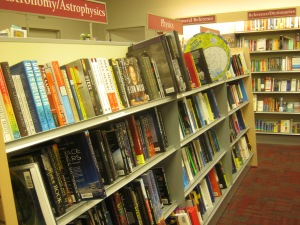


Also they have all the Dover Publications books in print at one place, sorted according authors. Wow! Too many for me to handle. 😀 But for display only for me did not buy anything. But sure was overwhelming to look at them, all at the same place.
Boston Public Library
This was unplanned for. We were just roaming around the downtown area. And came out near the Boston Public Library established in 1852. The outside decoration is in form of the various authors in all fields of study. A few glimpses of the library

Inscriptions on the building
McKim chose to have monumental inscriptions, similar to those found on basilicas and monuments in ancient Rome, in the entablature on each of the main building’s three façades. On the south is inscribed:
“MDCCCLII • FOUNDED THROUGH THE MUNIFICENCE AND PUBLIC SPIRIT OF CITIZENS“;
on the east:
“THE PUBLIC LIBRARY OF THE CITY OF BOSTON • BUILT BY THE PEOPLE AND DEDICATED TO THE ADVANCEMENT OF LEARNING • A.D. MDCCCLXXXVIII“;
and on the north:
“THE COMMONWEALTH REQUIRES THE EDUCATION OF THE PEOPLE AS THE SAFEGUARD OF ORDER AND LIBERTY“.
Another inscription, above the keystone of the central entrance, proclaims:
“FREE TO ALL“.
Below each second-story arched window on the three façades are inscribed lists of the names of great historical writers, artists, scientists, philosophers, and statesmen.
Across the street from the central entrance to the library is a twentieth-century monument to the Lebanese-born poet and philosopher Kahlil Gibran who as a young immigrant educated himself in the Boston Public Library. The monument’s inscription responds to the McKim building reading
“IT WAS IN MY HEART TO HELP A LITTLE, BECAUSE I WAS HELPED MUCH“.
The text is excerpted from a letter enclosed with Gibran’s generous bequest to the library.

The quote from Gibran definitely resonates with the experience that I have had with Internet Archive and GP (now sadly dead).
I lament that I did not go inside the library for the lack of time 🙁
Barnes & Noble, Prudential Tower
This was again unplanned for. We went to visit to Prudential Tower, the store just comes out as soon as you enter. Since I had heard about it, I did go in. They had some wonderful collections of books, but I did not get anything from there.

Rodney Book Store
Now this one was on the cards as per the original recommended list. I visited this one just before the day of departure. I could not get a photo of the entrance but only of the inside. The store is well stocked and well categorised.
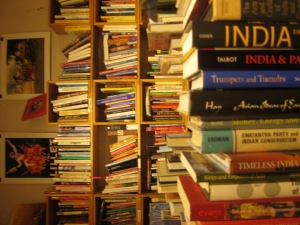
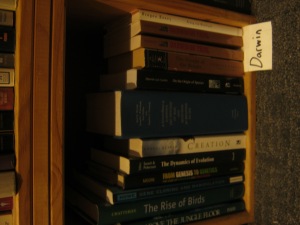
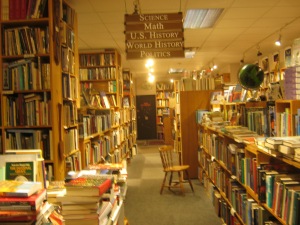


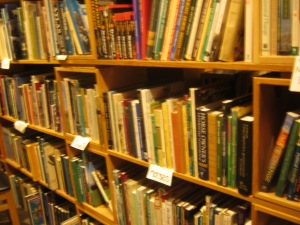
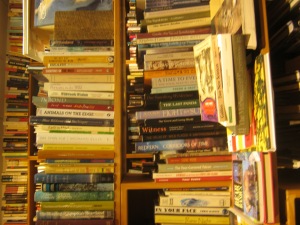
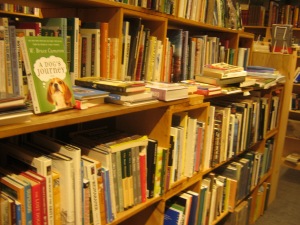
I wish I had more time at this store

I got the above books at the store. With this one on M. C. Escher by Escher collection of classics is almost complete.
In defense of digital freedom
We need to defend democratic principles not only against outside attacks, but also against erosion from within.
The strength of an open society is tested especially when it comes under (perceived) threat.
The Worst Get to the Top
Yes, you read that correctly: democratic government invariably leads to the rule by “demagogues” who manipulate the most immoral segments of society.
The core of this immoral coalition consists of “the lowest common denominator” – the “‘mass[es]’ in the derogatory sense of the term.” The masses consist of the least “educated” and least “intelligent” driven by “primitive instincts.”
The unethical leaders add to this core the “docile and gullible.” They are easily manipulated by propaganda that creates “a ready-made system of values if it is only drummed into their ears sufficiently loudly and frequently.”
Their “passions and emotions are readily aroused” by demagogues “who will thus swell the ranks of the totalitarian party.”
The third component of the totalitarian troika is the “most important negative element.” These are the murderous bigots motivated by “hatred of an enemy … the envy of those better off.”
Politics and politicians
But politics and politicians are two separate things. Our whole lives are political, they just don’t realise it.
“How will I ever get out of this labyrinth?”
“People expected me to become a high-ranking official in the government or a big company, but I don’t think just because I chose not to become the expected it gives anyone a right to call anyone’s life a failure,”
Something to Hide
You probably do have something to hide, you just don’t know it yet.
via Wired
On Design
Design is both the disruptor and being disrupted. It’s disrupting markets, organizations, and relationships, and forcing us to rethink how we live. The discipline of design is also experiencing tremendous growth and change, largely influenced by economic and technology factors. No longer an afterthought, design is now an essential part of a product, and it may even be the most important part of a product’s value.
Source: Experience design is shaping our future – O’Reilly Radar